File Upload and AP Report Instructions Upload Data
General Info / Sample Reports Abacus AccountEdge Accpac Adagio Agresso Bellamy Blackbaud Colleague (by Ellucian) Comvida FMS Distrib-u-tec Dynamics (see Great Plains or Sparkrock) Epicor/Eclipse Explorer Great Plains JD Edwards MAIS aka Progress aka Concord Masterworks Munisoft Muniware MYOB (Mind Your Own Business) Navision Netsuite by Oracle Oracle Financials Ormed Pacific Rim PeopleSoft PowerSchool/SRB/TSC/atrieveERP ProfitMaster Canada / Acceco / Transaxion Prosoft Gemini Quickbooks Sage SAP SDS (School District Software) Simply Accounting Sparkrock / MS Dynamics Steel Plus by Bayern Syteline Timberline Vadim Xero

Muniware

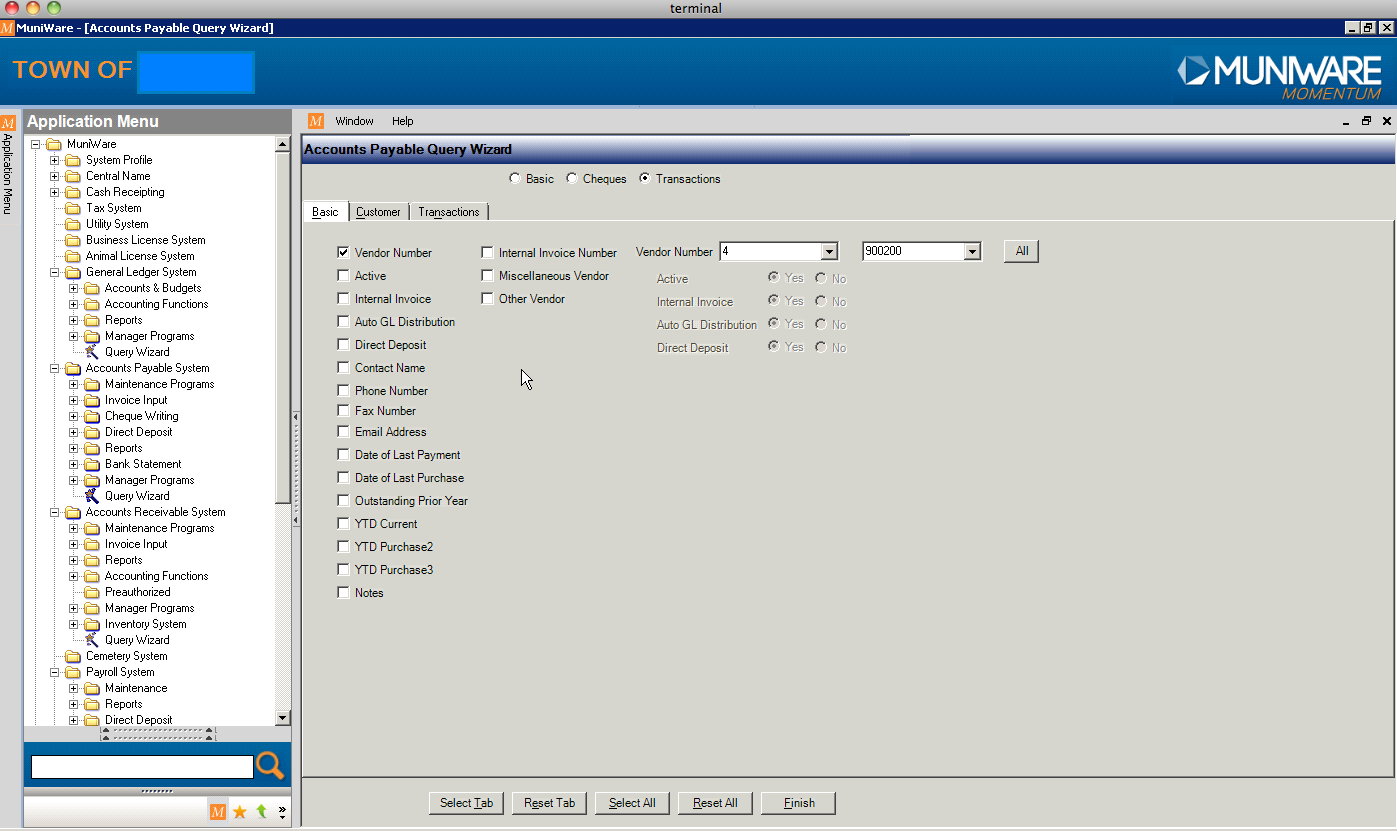
In the Application Menu, choose the folder Accounts Payable System and then Query Wizard.

In the Basic tab make sure Vendor Number checkbox is selected and press All button next to the Vendor numbers dropdown fields.

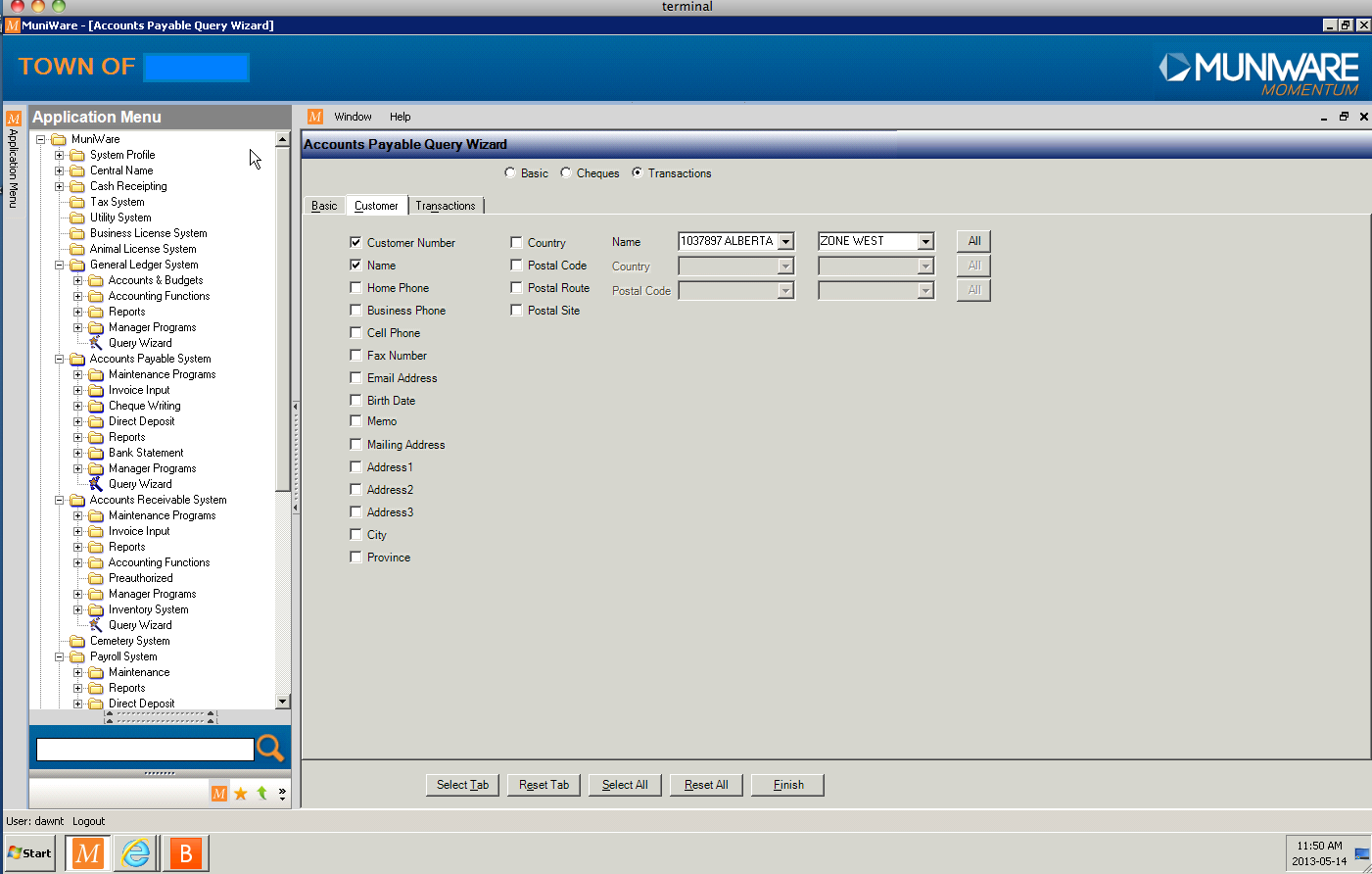
In the Customer tab make sure Customer Number and Name checkboxes are selected and press All button next to the Name dropdown fields.

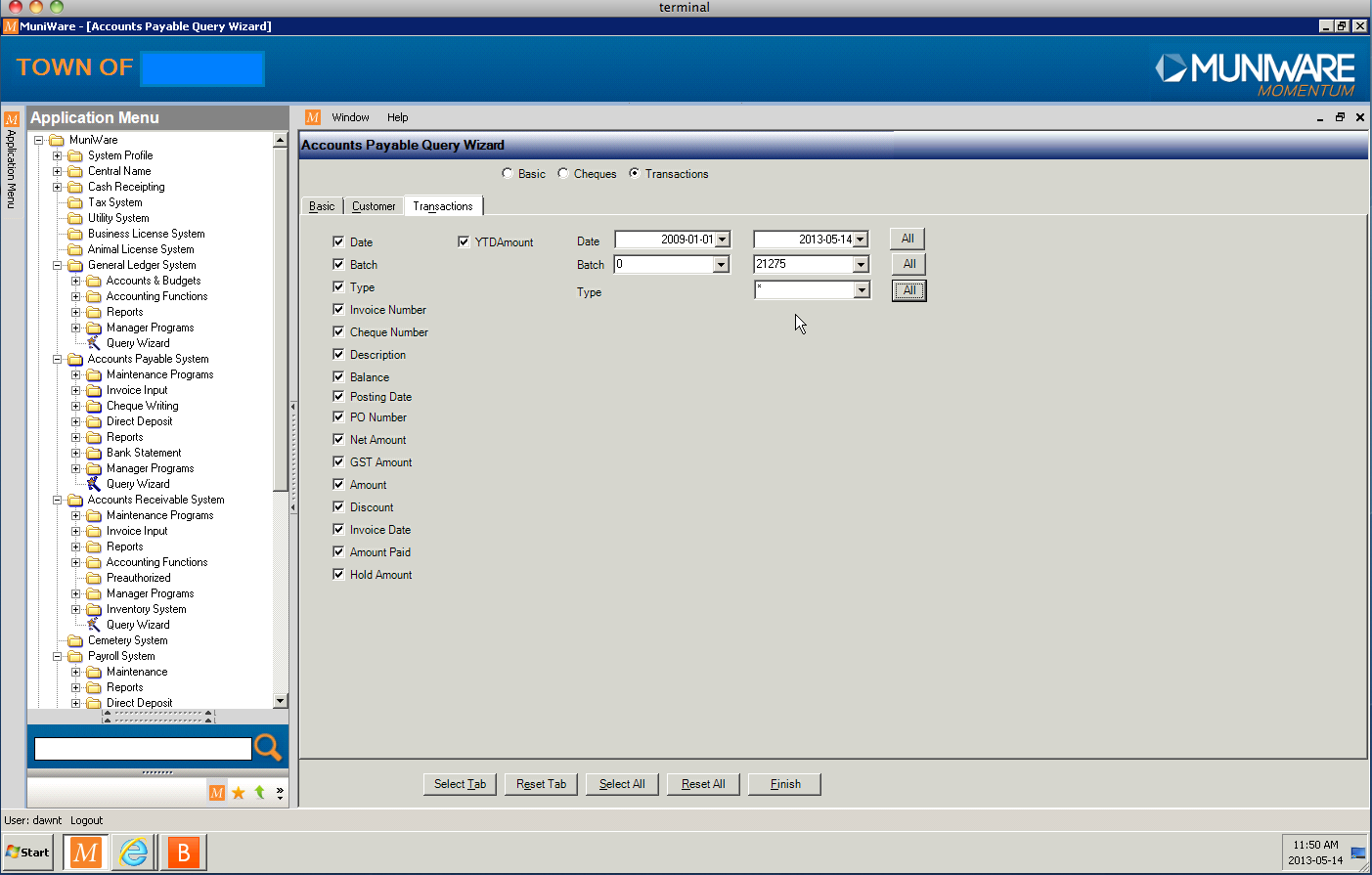
In the Transactions tab make sure all checkboxes are selected and choose for the date 4 years back till current date. Press All button next to the Batch dropdown fields.

See also screenshots below for further reference: