Accounts Payable Posting Report
SUMMARY
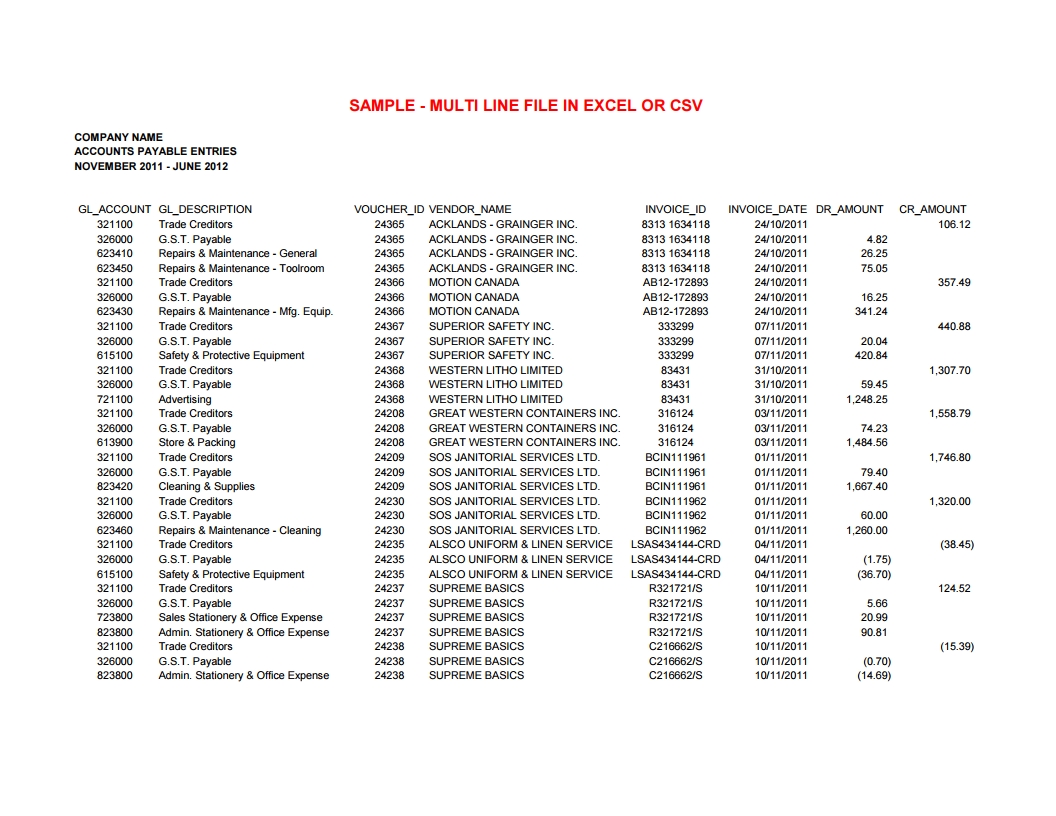
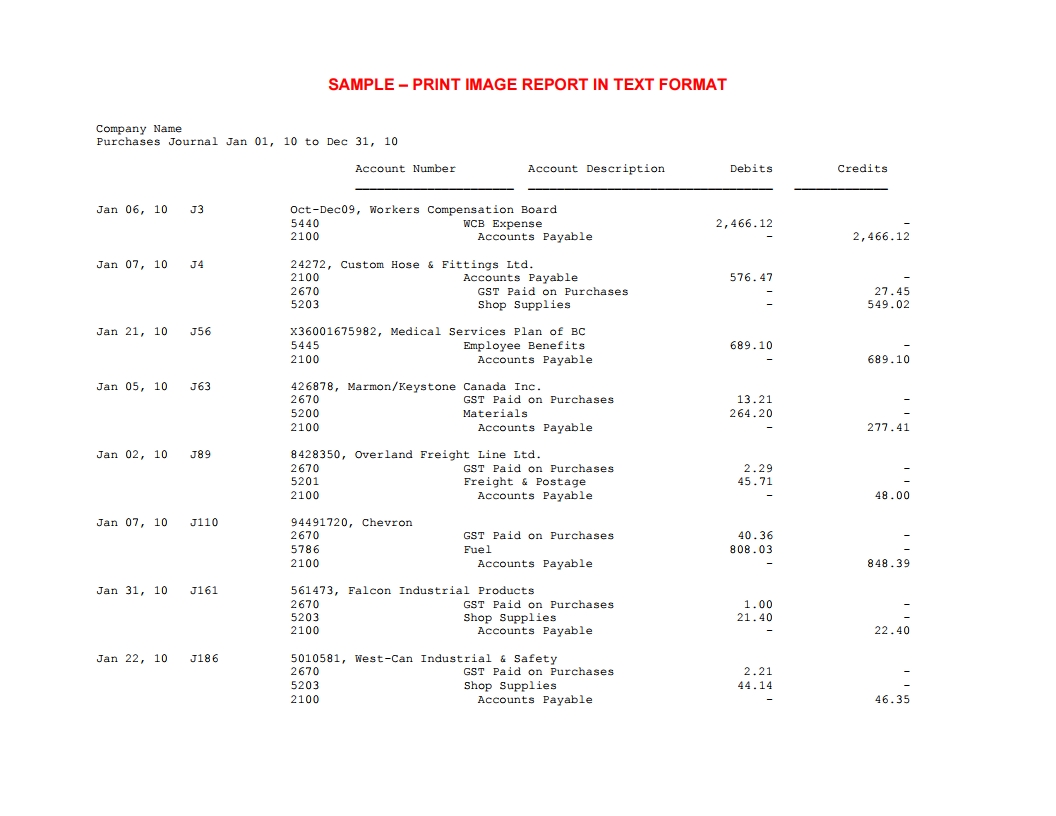
An electronic report detailing the last 4 years of accounts payable invoices. Scroll down for Samples.
INSTRUCTIONS
Select your software from the left. If you don't see your software, see information below. If your software has recently been rebranded or renamed it may be listed under the previous name
GENERAL INFORMATION
This report is typically run from the Accounts Payable area and identified as: Purchase History, Posting Journal, Invoice Journal, Vendor Transactions or similar.
It shows information on paid invoices, either summarizing or including the distribution of the invoice amount to the various G/L accounts, including the GST/HST claimed as an ITC or rebate.
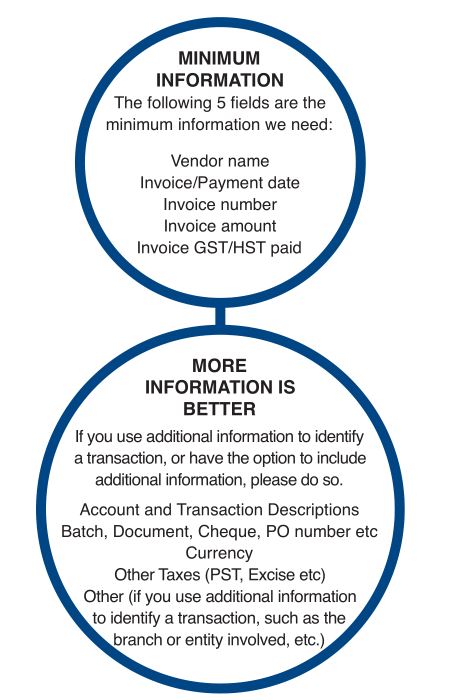
Most accounting programs can create a single report containing the minimum required information. If not, you may be able to create 2 different GL reports (AP Detail, GST/HST Detail) and we can work with those.
TIME PERIOD
We can go back a full four years from the commencement of the review. If files size is an issue, or reports take a long time to run, it may be necessary to use multiple time periods, for example one fiscal year at a time.
REPORT FILE FORMATS
We have been most successful obtaining files in Text or Excel. If you have the option, choose one of the following:
CSV(Comma Delineated)
TXT (Text, Rich Text)
PRN (Print Image) - While these may look unlike a spreadsheet we can easily work with these
XLSX ideally or XLS (Excel) - XLS files have a size limitation of 64,000 rows
We use auditing software that can read files in almost any format and size (including text, csv, report format (.prn), ACCPAC data files, SAP, dBase (.DBF), MS Access and numerous others.
We are able to parse Adobe Acrobat (PDF) files but they are NOT ideal formats
SIZE
Where files are too big to email, ie more than 10MB or so, our Upload Page can handle files many 100's of MB in size.
Files can be "zipped" to reduce size. In Windows 10, right-click the file(s) you want to zip, and then select Send to > Compressed (zipped) folder.
Where files are more than 1 GB or so, we reccomend using a USB thumb drive and mailing the data.
 |